This guide downloads the tweets of one X account with Python: first a single page, then the whole timeline, then a CSV file and a script you can run every day that only asks for tweets it has not seen. It uses TwittrAPI, a third-party API for public X data, so you need an API key from us but no X developer account and no X login. The same steps are shown for Node.js at the end.
What you get back is what X shows on the profile, newest first. Replies are left out unless you ask for them, and deleted or withheld tweets are not returned.
Step 1: Get an API key
Create a key on /start. New accounts get $0.10 of test credit for 14 days, which is about 1,100 calls. Put the key in an environment variable so it stays out of your code:
export TWITTRAPI_API_KEY="your-key"Every request sends it in the X-API-KEY header. One request is one billed call, whatever it returns; the pricing page has the rates, from $0.065 per 1,000 calls.
Step 2: Fetch the first page of tweets
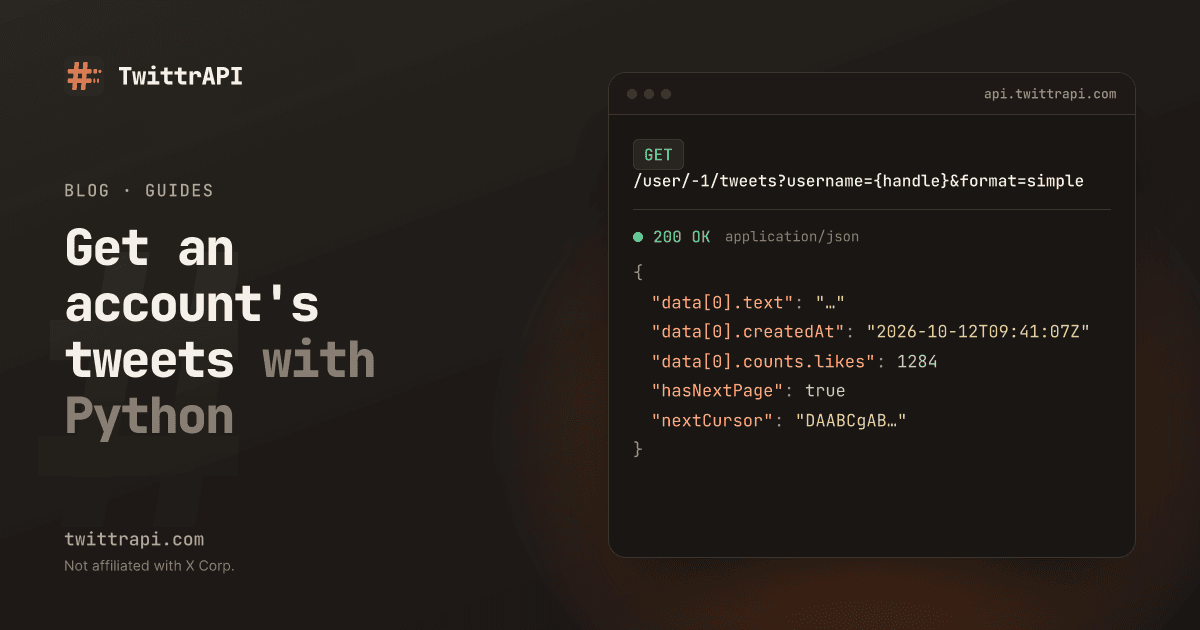
The endpoint is GET /user/{userId}/tweets. It takes a numeric user ID, but you can pass -1 as the ID and the handle as username instead. With format=simple you get flat JSON with a fixed set of fields (simple format).
With nothing but requests:
import os

import requests

API = "https://api.twittrapi.com"
HEADERS = {"X-API-KEY": os.environ["TWITTRAPI_API_KEY"]}

r = requests.get(
    f"{API}/user/-1/tweets",
    headers=HEADERS,
    params={"username": "NASA", "count": 20, "format": "simple"},
    timeout=30,
)
r.raise_for_status()
page = r.json()

for t in page["data"]:
    if t.get("unavailable"):
        continue
    print(t["createdAt"], t["counts"]["likes"], t["text"][:100])

print("more pages:", page["hasNextPage"])Each tweet has id, url, text, createdAt, lang, author, counts (likes, retweets, replies, quotes, bookmarks, views), media, urls, hashtags, replyTo, quoted and retweetOf. The field table lists them all.
count is a hint. X decides how many tweets a page really holds, so do not rely on getting exactly 20.
Step 3: Follow the cursor to get all pages
Every page carries nextCursor. Send it back as cursor to get the next page. When hasNextPage is false, you have everything X will return.
Paging through tweets with a cursor
Call 1
GET /user/-1/tweets
→ ~20 tweets
nextCursor: "A1"
Call 2
?cursor=A1
→ ~20 tweets
nextCursor: "B2"
Call n
?cursor=…
→ last tweets
hasNextPage: false
hasNextPage is false instead of counting.def all_tweets(username: str, max_pages: int = 200):
"""Yield every tweet on the profile, newest first."""
cursor = None
for _ in range(max_pages):
params = {"username": username, "count": 100, "format": "simple"}
if cursor:
params["cursor"] = cursor
r = requests.get(f"{API}/user/-1/tweets", headers=HEADERS, params=params, timeout=30)
r.raise_for_status()
page = r.json()
for t in page["data"]:
if not t.get("unavailable"):
yield t
if not page["hasNextPage"]:
return
cursor = page["nextCursor"]max_pages is a safety limit: every page is a billed call, so a typo in a loop should not run forever.
How far back this goes is up to X. Profile timelines stop after a few thousand tweets; scraper projects such as twscrape report about 3,200. For older tweets, use search with from:NASA until:2020-01-01, which walks back by date instead.
Step 4: Use the Python SDK instead (optional)
The twittrapi package wraps the same calls. It reads the key from TWITTRAPI_API_KEY, retries 429 and 5xx responses with backoff, and paginate follows the cursor for you:
pip install twittrapifrom twittrapi import TwittrAPI
client = TwittrAPI(response_format="simple")
tweets = []
for page in client.paginate(client.users.tweets, username="NASA", count=100, max_pages=50):
tweets += [t for t in page["data"] if not t.get("unavailable")]
print(len(tweets), "tweets")max_pages defaults to 10. Pass None to fetch until the cursor runs out. If you also want the account's replies, use client.users.tweets_and_replies (GET /user/{userId}/tweetsAndReplies); for photos and videos only, client.users.media (GET /user/{userId}/media).
Step 5: Save the tweets to CSV
Nested fields such as counts need to be flattened into columns. Keep the ID as text: spreadsheet apps round 19-digit numbers.
import csv

FIELDS = ["id", "createdAt", "text", "likes", "retweets", "replies", "quotes", "views", "lang", "url", "isReply", "media"]

with open("nasa_tweets.csv", "w", newline="", encoding="utf-8") as f:
    w = csv.DictWriter(f, fieldnames=FIELDS)
    w.writeheader()
    for t in tweets:
        c = t["counts"]
        w.writerow({
            "id": t["id"],
            "createdAt": t["createdAt"],
            "text": t["text"],
            "likes": c["likes"],
            "retweets": c["retweets"],
            "replies": c["replies"],
            "quotes": c["quotes"],
            "views": c["views"],
            "lang": t["lang"],
            "url": t["url"],
            "isReply": t["replyTo"] is not None,
            "media": " ".join(m["url"] for m in t["media"]),
})encoding="utf-8" matters: tweets contain emoji and non-Latin text. If Excel shows garbled characters, open the file through Data > From Text/CSV and pick UTF-8, or write it with encoding="utf-8-sig".
Step 6: Fetch only new tweets on later runs
For a daily job you do not need the whole timeline again. Timelines are newest first, so stop as soon as you reach a tweet you already have. A pinned tweet sits at the top of the first page regardless of its date, so skip it when deciding where to stop.
import json
from pathlib import Path

STATE = Path("nasa_last_id.json")
last_id = int(json.loads(STATE.read_text())["last_id"]) if STATE.exists() else 0

new = []
done = False
for page in client.paginate(client.users.tweets, username="NASA", count=100, max_pages=20):
    for t in page["data"]:
        if t.get("unavailable") or t["isPinned"]:
            continue
        if int(t["id"]) <= last_id:
            done = True
            break
        new.append(t)
    if done:
        break

if new:
    STATE.write_text(json.dumps({"last_id": max((t["id"] for t in new), key=int)}))
print(len(new), "new tweets")Tweet IDs grow over time, so comparing them as integers is a safe way to tell old from new. A run with nothing new costs one call.
Node.js version
The twittrapi npm package has the same methods (Node 18 or later):
npm install twittrapiimport { TwittrAPI } from "twittrapi";
const client = new TwittrAPI({ format: "simple" }); // key from TWITTRAPI_API_KEY
const tweets = [];
for await (const page of client.paginate(
client.users.tweets,
{ username: "NASA", count: 100 },
{ maxPages: 50 },
)) {
for (const t of page.data.data) {
if (!t.unavailable) tweets.push(t);
}
}
console.log(tweets.length, "tweets");Without the SDK, use fetch:
const res = await fetch(
  "https://api.twittrapi.com/user/-1/tweets?username=NASA&count=20&format=simple",
  { headers: { "X-API-KEY": process.env.TWITTRAPI_API_KEY } },
);
if (!res.ok) throw new Error(`HTTP ${res.status}: ${await res.text()}`);
const page = await res.json();
console.log(page.data.length, page.hasNextPage, page.nextCursor);Errors you may see
| Status | Meaning | What to do |
|---|---|---|
| 401 | Missing or wrong key (not charged) | Check the X-API-KEY header |
| 402 | Balance used up or trial expired (not charged) | Top up in the dashboard |
| 404 | X says the account does not exist (charged) | Check the handle with GET /user/by/username/{username} |
| 429 | Over your requests per second (not charged) | Wait and retry |
| 5xx | Failure on our side or between us and X (refunded) | Retry with backoff |
The full list is in error handling. Protected accounts return no tweets: the API only reads what a logged-out visitor could see.
Frequently asked questions
Can I get tweets from a Twitter account in Python without the official API?
Yes. A third-party API such as TwittrAPI returns public tweets of any account over plain HTTPS with its own key, so you do not need an X developer account or app. Scraping the website yourself also works at small scale, but X's terms forbid it without consent and it breaks often.
How many tweets can I get from one account?
As many as X still shows on the profile timeline, which ends after a few thousand tweets. For older tweets, search with from:handle and a since: and until: date range, one window at a time.
How much does it cost to download 3,000 tweets?
A page holds up to about 100 tweets when you ask for count=100, often fewer. 3,000 tweets take roughly 30 to 150 calls, which is about one cent or less at TwittrAPI's per-call prices.
Does this include replies and retweets?
The tweets endpoint returns the account's posts and retweets, without replies. Use the tweets-and-replies endpoint to include replies. Retweets have a retweetOf field with the original tweet.
Is twint or snscrape still an option in 2026?
Not for X. Both relied on logged-out access that X closed in 2023; their issue trackers have been full of "blocked" reports since then. Our post on scraping X in 2026 covers what still works.
Sources
- User tweets reference and simple format (TwittrAPI docs)
- twscrape README, on the timeline limit
- snscrape issue #996, "All Twitter scrapes are failing"
TwittrAPI is not affiliated with X Corp. It reads only public data.