There are two different things people mean by "search Twitter without an account". If you only want to look something up by hand, X's own search box is the tool, but X shows search results only to logged-in users, so you need a normal X account. If you want search results in a program, the official route is the X API, which needs a developer account at console.x.com, an app and a payment method. This guide covers a third way for programs: a third-party API that runs the same X search and gives you the results as JSON, with nothing to set up on X's side.
We run TwittrAPI, one of those APIs. The steps below use it, but the query syntax is X's own, so what you learn here also works in the X search box.
Your options at a glance
| X search box | Official X API | Third-party API (TwittrAPI) | |
|---|---|---|---|
| Needs | An X account, logged in | Developer account, app, payment method | An API key from the provider |
| Usable from code | No | Yes | Yes |
| Time range | Full history | Recent search: last 7 daysas of Oct 2026 (full archive costs more) | Whatever X search returns, by date |
| Price | Free | $5 per 1,000 postsas of Oct 2026 | From $0.065 per 1,000 calls, about 20 tweets per call |
| Post or act for users | Yes | Yes | No (reads public data only) |
If you need to post, or a direct agreement with X, use the official API. For reading public search results from code, a third-party key is less work.
Step 1: Get an API key
Create a key on /start. New accounts get $0.10 of test credit for 14 days. Keep the key in an environment variable:
export TWITTRAPI_API_KEY="your-key"Step 2: Run a first search
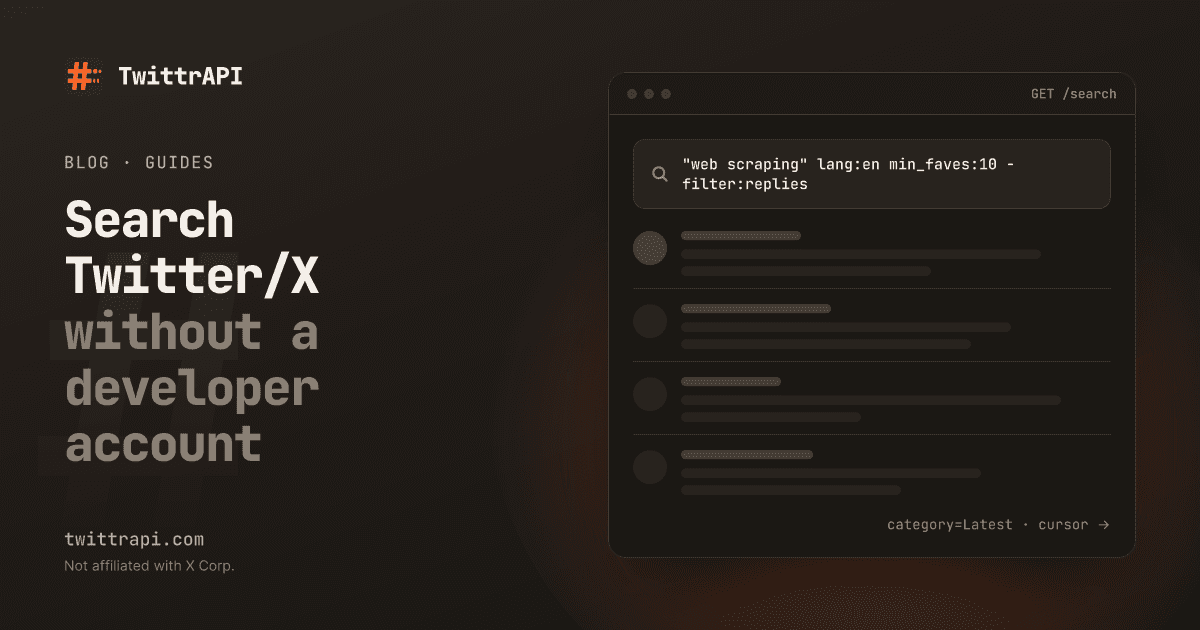
The endpoint is GET /search. The query goes in searchItem (query works too), and category picks the tab: Top (the default), Latest, People, Photos or Videos.
curl -G 'https://api.twittrapi.com/search' \
  -H "X-API-KEY: $TWITTRAPI_API_KEY" \
  --data-urlencode 'searchItem="open source" llm lang:en' \
  --data-urlencode 'category=Latest' \
--data-urlencode 'format=simple'In Python:
import os

import requests

r = requests.get(
    "https://api.twittrapi.com/search",
    headers={"X-API-KEY": os.environ["TWITTRAPI_API_KEY"]},
    params={"searchItem": '"open source" llm lang:en', "category": "Latest", "format": "simple"},
    timeout=30,
)
r.raise_for_status()
for t in r.json()["data"]:
    if not t.get("unavailable"):
        author = t["author"]["username"] if t["author"] else "?"
print(t["createdAt"], "@" + author, t["text"][:100])Top gives X's ranked mix, Latest gives every match newest first. For collecting data you nearly always want Latest.
Step 3: Narrow the query with operators
The query accepts X's search operators. These cover most jobs:
| Operator | Example | Matches |
|---|---|---|
"..." | "rate limit" | Exact phrase |
OR, - | (python OR rust) -hiring | Either word; exclude a word |
from: / to: / @ | from:nasa, to:nasa, @nasa | Posts by, replies to, mentions of an account |
lang: | lang:de | Language X detected |
since: / until: | since:2026-09-01 until:2026-10-01 | Date range (until is exclusive) |
min_faves: / min_retweets: / min_replies: | min_faves:100 | Engagement threshold |
filter: / -filter: | -filter:replies, filter:media, -filter:nativeretweets | Replies, media, links, retweets |
url: | url:github.com | Links to a domain |
# / $ | #rustlang, $NVDA | Hashtags and cashtags |
since_id: | since_id:1844000000000000000 | Only tweets newer than an ID |
Query and filters together can be up to 512 characters. Unsupported operators return 422; the search reference lists the accepted ones.
Instead of writing operators by hand you can send a filters JSON object and the API appends the operators for you:
import json

params = {
    "searchItem": "kubernetes",
    "category": "Latest",
    "format": "simple",
    "filters": json.dumps({
        "lang": "en",
        "minimumLikesCount": 20,
        "removeReplies": True,
        "noneOfTheseWords": ["hiring", "job"],
        "withinTime": "2d",
    }),
}Step 4: Get more than one page
Paging through tweets with a cursor
Call 1
GET /search
→ ~20 tweets
nextCursor: "A1"
Call 2
?cursor=A1
→ ~20 tweets
nextCursor: "B2"
Call n
?cursor=…
→ last tweets
hasNextPage: false
hasNextPage is false instead of counting.Each response holds about 20 tweets and a nextCursor. Pass it back as cursor until hasNextPage is false. The Python SDK does this for you:
pip install twittrapifrom twittrapi import TwittrAPI
client = TwittrAPI(response_format="simple") # key from TWITTRAPI_API_KEY
query = "url:github.com rust lang:en since:2026-10-01 until:2026-10-08"
tweets = []
for page in client.paginate(client.search.tweets, query, category="Latest", count=100, max_pages=50):
tweets += [t for t in page["data"] if not t.get("unavailable")]
print(len(tweets))For large date ranges, split them into one window per day and run the windows in parallel. A single cursor chain is sequential and moves at about one page per second. The recipes page has a complete parallel collector that writes JSON Lines.
Step 5: Poll for new tweets
To watch a search, ask for Latest on a schedule and add since_id: with the highest ID you have seen, so each tweet arrives once:
import time

newest = None
while True:
    q = "(@acme OR url:acme.com) -from:acme" + (f" since_id:{newest}" if newest else "")
    page = client.search.tweets(q, category="Latest")
    fresh = [t for t in page["data"] if not t.get("unavailable")]
    for t in sorted(fresh, key=lambda t: int(t["id"])):
        print(t["createdAt"], t["url"])
    if fresh:
        newest = max((t["id"] for t in fresh), key=int)
time.sleep(60)Each poll is one call whether it finds something or not, so a one-minute interval costs about 1,440 calls a day. To be notified about new tweets from specific accounts within seconds, without running a loop, see account monitoring.
Node.js version
npm install twittrapiimport { TwittrAPI } from "twittrapi";
const client = new TwittrAPI({ format: "simple" }); // key from TWITTRAPI_API_KEY
const page = await client.search.tweets({
query: "from:nasa -filter:replies",
category: "Latest",
count: 20,
});
for (const t of page.data) {
if (!t.unavailable) console.log(t.createdAt, t.text.slice(0, 100));
}
if (page.hasNextPage) {
const next = await client.search.tweets({ query: "from:nasa -filter:replies", category: "Latest", cursor: page.nextCursor });
console.log(next.data.length);
}Without the SDK, fetch with URLSearchParams handles the encoding of quotes, # and $ for you:
const params = new URLSearchParams({ searchItem: "#rustlang min_faves:50", category: "Latest", format: "simple" });
const res = await fetch(`https://api.twittrapi.com/search?${params}`, {
  headers: { "X-API-KEY": process.env.TWITTRAPI_API_KEY },
});
console.log((await res.json()).data.length);Common problems
- 422 Unprocessable Entity: an operator X does not accept, a bad
lang:code, square brackets in the query, or a query over 512 characters. - Fewer results than in the X app:
Topis ranked and selective; switch toLatest. X search also leaves out some low-quality and sensitive posts for everyone. $or#disappearing: they must be URL-encoded (%24,%23).--data-urlencode,requestsandURLSearchParamsdo it; string concatenation does not.- People instead of tweets:
category=Peoplereturns accounts, not tweets.
Frequently asked questions
Can I search Twitter without an account?
Not on x.com: X shows search results only to logged-in users. From code you can search without any X account by using a third-party API such as TwittrAPI, which needs only its own API key.
Can I use the X API search without a developer account?
No. Every official X API key belongs to an app in a developer account at console.x.com. A third-party API is a separate service with its own key; it is not affiliated with X.
How far back can I search?
The official API's recent search covers the last 7 days; full-archive search costs more. Through TwittrAPI you get what X's own search returns for a date range, so set since: and until: for older periods.
How much does a search cost?
One page of results is one call. On TwittrAPI that is $0.09 per 1,000 calls on Standard and down to $0.065 at volume, so 1,000 pages of about 20 tweets each cost under ten cents.
Do the X search operators work through the API?
Yes. The query is passed to X's search unchanged, so from:, lang:, since:, until:, min_faves:, filter: and the others behave as in the X search box. Unsupported operators are rejected with a 422.
Sources
- Search endpoint reference: parameters, filters and accepted operators
- X API pricing (docs.x.com) and recent search (docs.x.com)
- About the X API (docs.x.com), on developer accounts
TwittrAPI is not affiliated with X Corp. It reads only public data.