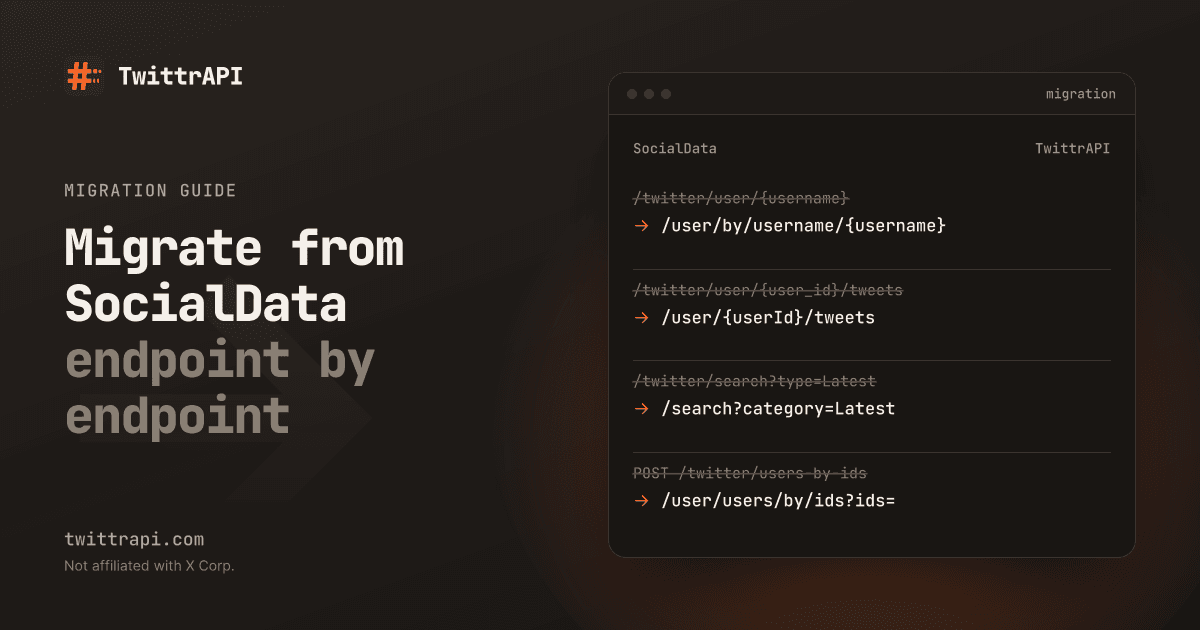
This guide moves a SocialData read integration to TwittrAPI. SocialData paths and parameters come from its public docs as of October 2026. Ours are checked against our endpoint reference; every TwittrAPI path below links to its reference page. If you have not decided yet, the comparison covers price, limits and what each side does better.
What changes
| SocialData | TwittrAPI | |
|---|---|---|
| Base URL | https://api.socialdata.tools | https://api.twittrapi.com |
| Auth header | Authorization: Bearer <key> | X-API-KEY: <key> |
| Pagination in | cursor | cursor |
| Pagination out | next_cursor | Bottom cursor inside X's JSON (cursorType: "Bottom") |
| Page size | about 20 tweets per pageas of Oct 2026, fixed | count, default 20; X decides the final number |
| Response | Flat snake_case objects | X's own JSON; tweet fields sit in legacy |
| Errors | status and message; 402, 422, 500 | {"error": "..."} with a non-2xx status |
| Rate limit | 120 requests per minute per useras of Oct 2026 | 30 requests per second per key after the first top-up |
| Billing | Per tweet or profile returned | One call per request |
Endpoint mapping
| SocialData | TwittrAPI | Notes |
|---|---|---|
GET /twitter/tweets/{id} | GET /simpletweet/{tweetId} | |
GET /twitter/tweets/{id}/comments | GET /tweet/{tweetId} | Tweet plus replies. rankingMode: Relevance, Recency or Likes. About 20 replies per page. |
GET /twitter/tweets/{id}/quotes | GET /tweet/{tweetId}/quotes | |
GET /twitter/tweets/{tweet_id}/retweeted_by | GET /tweet/{tweetId}/retweets | |
GET /twitter/user/{username} | GET /user/by/username/{username} | By ID: GET /user/{userId}. |
POST /twitter/users-by-ids | GET /user/users/by/ids?ids= | Up to 100 IDs, one call. |
GET /twitter/user/{user_id}/tweets | GET /user/{userId}/tweets | |
GET /twitter/user/{user_id}/tweets-and-replies | GET /user/{userId}/tweetsAndReplies | |
GET /twitter/search?query=&type=Latest | GET /search?searchItem=&category=Latest | query also works as the parameter name. Categories: Top, Latest, People, Photos, Videos. |
GET /twitter/user/{user_id}/followers | GET /user/{userId}/followers | |
GET /twitter/user/{user_id}/following | GET /user/{userId}/followings | /following is an alias. |
| Verified followers | GET /user/{userId}/verifiedFollowers | |
GET /twitter/list/{list_id}/tweets | GET /lists/tweets?listId= | |
GET /twitter/list/{list_id}/members | GET /lists/members?listId= | |
GET /twitter/community/{community_id}/tweets | GET /communities/{communityId}/tweets | |
| Community details | GET /communities/{communityId} | |
| Community members | GET /communities/{communityId}/members | |
| Community search | GET /communities/search/{searchTerm} | |
| Mentions | GET /search?searchItem=@jack&category=Latest | No dedicated endpoint; use search. |
GET /twitter/space/{space_id} | not available | |
| Thread, highlights, affiliates, similar profiles, extended bio | not available | |
| Verify following | GET /user/friendships/show | |
| Verify retweeted / commented | not available | Scan GET /tweet/{tweetId}/retweets or the replies yourself. |
| Monitoring and webhooks | not available | Poll search or timelines. |
| (none) | GET /trends/{locationId}, GET /misc/locations | Trends by WOEID. |
Rows without a path on the SocialData side are endpoints whose exact path we did not copy from its docs.
Response shape: same names, different nesting
SocialData flattens a tweet into one object with the author in user. TwittrAPI passes X's JSON through, where a tweet looks roughly like this:
{
  "rest_id": "1790000000000000000",
  "core": { "user_results": { "result": { "rest_id": "12", "core": { "screen_name": "jack" }, "legacy": { "followers_count": 1 } } } },
  "legacy": { "full_text": "...", "favorite_count": 10, "retweet_count": 2, "reply_count": 1, "quote_count": 0, "created_at": "...", "id_str": "1790000000000000000" },
  "views": { "count": "1234" }
}The legacy object uses the same names SocialData uses. The author's handle moved from legacy.screen_name to core.screen_name in 2025, so check both. Long tweets keep their full text in note_tweet.note_tweet_results.result.text. Timelines wrap tweets in instructions and entries; the response format docs explain the structure.
Before and after: Python
Before:
import os, requests

r = requests.get(
    "https://api.socialdata.tools/twitter/search",
    headers={"Authorization": f"Bearer {os.environ['SOCIALDATA_KEY']}"},
    params={"query": "from:jack lang:en", "type": "Latest"},
)
data = r.json()
for t in data["tweets"]:
    print(t["id_str"], t["user"]["screen_name"], t["favorite_count"], t["full_text"])
cursor = data.get("next_cursor")After, with the Python SDK and the extractor from our examples repository:
from twittrapi import TwittrAPI, extract_bottom_cursor
from extract import tweets  # python/_shared/extract.py from the examples repo

client = TwittrAPI()  # reads TWITTRAPI_API_KEY

page = client.search.tweets("from:jack lang:en", category="Latest")
for t in tweets(page):
    print(t["id"], t["author"], t["likes"], t["text"])
cursor = extract_bottom_cursor(page)Before and after: Node.js
Before:
const res = await fetch("https://api.socialdata.tools/twitter/user/12/followers", {
  headers: { Authorization: `Bearer ${process.env.SOCIALDATA_KEY}` },
});
const { users, next_cursor } = await res.json();After, with the Node SDK:
import { TwittrAPI } from "twittrapi";
import { extractUsers } from "./extract.mjs"; // node/_shared/extract.mjs from the examples repo

const client = new TwittrAPI(); // reads TWITTRAPI_API_KEY

for await (const page of client.paginate(client.users.followers, { userId: "12", count: 100 }, { maxPages: 5 })) {
  const users = extractUsers(page.data);
  // page.nextCursor is the cursor for the next call
}Keep your data model: an adapter
If your code reads SocialData's tweet objects, build the same shape from X's JSON in one function:
def to_socialdata_shape(t: dict) -> dict:
    """t is a raw tweet object (tweet_results.result) from X's JSON."""
    legacy = t.get("legacy") or {}
    author = ((t.get("core") or {}).get("user_results") or {}).get("result") or {}
    a_legacy = author.get("legacy") or {}
    a_core = author.get("core") or {}
    note = (((t.get("note_tweet") or {}).get("note_tweet_results") or {}).get("result") or {})
    return {
        "id_str": t.get("rest_id"),
        "full_text": note.get("text") or legacy.get("full_text"),
        "tweet_created_at": legacy.get("created_at"),
        "favorite_count": legacy.get("favorite_count"),
        "retweet_count": legacy.get("retweet_count"),
        "reply_count": legacy.get("reply_count"),
        "quote_count": legacy.get("quote_count"),
        "bookmark_count": legacy.get("bookmark_count"),
        "views_count": int((t.get("views") or {}).get("count") or 0) or None,
        "lang": legacy.get("lang"),
        "user": {
            "id_str": author.get("rest_id"),
            "screen_name": a_core.get("screen_name") or a_legacy.get("screen_name"),
            "name": a_core.get("name") or a_legacy.get("name"),
            "followers_count": a_legacy.get("followers_count"),
            "friends_count": a_legacy.get("friends_count"),
        },
}Note one difference in dates: SocialData's tweet_created_at is its own field, while X's legacy.created_at uses X's format (Wed Oct 10 20:19:24 +0000 2018). Parse it if you need ISO dates.
Pagination differences
Paging through followers with a cursor
Call 1
GET /user/{userId}/followers
→ ~50–70 followers
bottom cursor: "A1"
Call 2
?cursor=A1
→ ~50–70 followers
bottom cursor: "B2"
Call n
?cursor=…
→ last followers
no bottom cursor
- Look for the bottom cursor in the response instead of
next_cursor. The SDKs'extract_bottom_cursor/extractBottomCursordo this; see Pagination. - Stop when there is no bottom cursor, it repeats, or the page holds no items.
- Set
counton timelines and follower lists. X decides how many items it returns. - Do not reuse SocialData cursors.
Billing differences to plan for
- Every successful call is billed, including empty pages. Calls that end in 400, 408, 409 or 5xx are refunded. Responses carry
X-Price-Per-Call,X-Remaining-BalanceandX-Refundedheaders. See Pricing and billing. - A page of results is one call, so large pages are cheaper per item.
- 429 (over your per-second limit) is not charged. Back off and retry; the SDKs do this for you.
Checklist
- List the SocialData endpoints you call and how often.
- Check each against the mapping; plan around Spaces, threads, verification checks and webhooks if you use them.
- Create an account at /start and set
TWITTRAPI_API_KEY. - Change auth from
Authorization: BearertoX-API-KEY, or install the SDK. - Replace
POST /twitter/users-by-idswithGET /user/users/by/ids. - Write the adapter to your current tweet and user shape; test it on saved responses.
- Switch pagination to bottom cursors.
- If you poll, check how often your calls return nothing, and set the interval with per-call billing in mind.
- Run both side by side on a sample, compare items and cost, then move the rest.
TwittrAPI is not affiliated with X Corp. or SocialData. Reading data needs no X account; optional account actions use your own X session cookie and proxy.
Frequently asked questions
Will my SocialData field names still work?
Mostly, one level down. SocialData's tweet fields (full_text, favorite_count, retweet_count, reply_count, quote_count, id_str, created_at) match the field names inside the legacy object of each tweet in X's JSON, which TwittrAPI passes through. The nesting is different, so you need a small adapter.
Does TwittrAPI charge for empty results?
Yes. A successful call is billed even if X returns no items. On SocialData's per-item endpoints an empty page costs nothing. If you poll often for new tweets, account for that.
What replaces POST /twitter/users-by-ids?
GET /user/users/by/ids?ids=1,2,3, up to 100 IDs per call, billed as one call.
Is there a trends endpoint?
Yes. GET /trends/{locationId} returns X's trends for a location, and GET /misc/locations lists the locations.