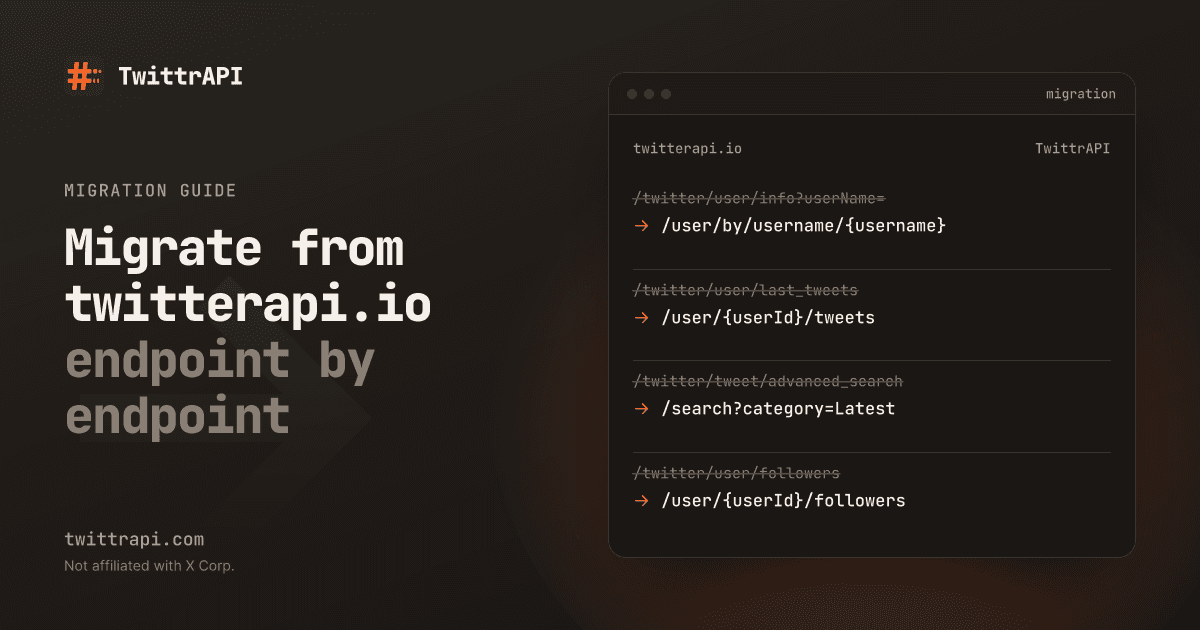
This guide moves a twitterapi.io read integration to TwittrAPI. twitterapi.io paths and parameters are taken from its public docs as of October 2026. Ours are checked against our endpoint reference; every TwittrAPI path below links to its reference page. Before you start, read the comparison to make sure the switch makes sense for your workload.
What changes
| twitterapi.io | TwittrAPI | |
|---|---|---|
| Base URL | https://api.twitterapi.io | https://api.twittrapi.com |
| Auth header | X-API-Key: <key> | X-API-KEY: <key> (header names are case-insensitive) |
| Paths | /twitter/... with query parameters | Resource paths, IDs in the path |
| Pagination in | cursor (empty string for page one) | cursor (leave it out for page one) |
| Pagination out | next_cursor, has_next_page | Bottom cursor inside X's JSON (cursorType: "Bottom") |
| Page size | Fixed per endpoint (up to 20 tweets per pageas of Oct 2026; followers pageSize up to 200as of Oct 2026) | count, default 20; X decides the final number |
| Response | Flat camelCase objects, author inside the tweet | X's own JSON, passed through |
| Envelope | status and message / msg | No envelope on success; errors are {"error": "..."} with a non-2xx status |
| Billing | Credits per item, minimum per call | One call per request |
Endpoint mapping
| twitterapi.io | TwittrAPI | Notes |
|---|---|---|
GET /twitter/tweets?tweet_ids=1,2 | GET /simpletweet/{tweetId} | One call per tweet. No multi-tweet lookup. |
GET /twitter/tweet/replies?tweetId= | GET /tweet/{tweetId} | Returns the tweet and its replies. rankingMode: Relevance, Recency or Likes. About 20 replies per page. |
GET /twitter/user/info?userName= | GET /user/by/username/{username} | |
GET /twitter/user/batch_info_by_ids?userIds= | GET /user/users/by/ids?ids= | Up to 100 IDs per call. |
GET /twitter/user/last_tweets?userId= or userName= | GET /user/{userId}/tweets | Handle only: /user/-1/tweets?username=jack. |
GET /twitter/user/last_tweets?includeReplies=true | GET /user/{userId}/tweetsAndReplies | |
GET /twitter/tweet/advanced_search?query=&queryType=Latest | GET /search?searchItem=&category=Latest | query also works as the parameter name. Categories: Top, Latest, People, Photos, Videos. Same X search operators. |
GET /twitter/user/followers?userName= | GET /user/{userId}/followers | Use -1 and ?username= for a handle. |
GET /twitter/user/followings?userName= | GET /user/{userId}/followings | /following is an alias. |
| Get User Verified Followers | GET /user/{userId}/verifiedFollowers | |
| Get User Mentions | GET /search?searchItem=@jack&category=Latest | No dedicated endpoint; use search. |
| Check Follow Relationship | GET /user/friendships/show?source_screen_name=&target_screen_name= | |
| Get User Profile About | GET /user/about/{username} | |
GET /twitter/tweet/quotes?tweetId= | GET /tweet/{tweetId}/quotes | |
GET /twitter/tweet/retweeters?tweetId= | GET /tweet/{tweetId}/retweets | |
| Get Article | GET /tweet/{tweetId}/article | |
GET /twitter/list/tweets_timeline?listId= | GET /lists/tweets?listId= | |
GET /twitter/list/members?list_id= | GET /lists/members?listId= | |
| Get List Followers | GET /lists/followers?listId= | |
GET /twitter/community/info?community_id= | GET /communities/{communityId} | |
GET /twitter/community/tweets?community_id= | GET /communities/{communityId}/tweets | |
| Get Community Members | GET /communities/{communityId}/members | |
| Get Community Moderators | GET /communities/{communityId}/moderators | |
GET /twitter/trends?woeid= | GET /trends/{locationId} | locationId is the WOEID. GET /misc/locations lists them. |
GET /twitter/spaces/detail | not available | |
| Get User Followers IDs (Bulk) | not available | |
User monitoring (add_user_to_monitor_tweet, stream) | Account monitoring (POST /monitors/accounts, webhook or GET /monitors/events) | No follower threshold: every public account is checked at the plan's guaranteed interval. |
| Webhook / websocket filter rules on search queries | not available | Poll search instead. |
| Write actions (create tweet, like, follow, ...) | /client/* account actions | Need your X session cookie and your own proxy. |
Rows that show a twitterapi.io page title instead of a path are endpoints whose exact path we did not copy from its docs; look them up there.
Before and after: Python
Before, with requests against twitterapi.io:
import os, requests

r = requests.get(
    "https://api.twitterapi.io/twitter/tweet/advanced_search",
    headers={"X-API-Key": os.environ["TWITTERAPI_IO_KEY"]},
    params={"query": "from:jack lang:en", "queryType": "Latest", "cursor": ""},
)
data = r.json()
for t in data["tweets"]:
    print(t["id"], t["author"]["userName"], t["likeCount"], t["text"])
next_cursor = data["next_cursor"] if data["has_next_page"] else NoneAfter, with the Python SDK (pip install twittrapi). tweets() is the extractor from our examples repository; it flattens X's JSON into simple dicts:
from twittrapi import TwittrAPI, extract_bottom_cursor
from extract import tweets  # python/_shared/extract.py from the examples repo

client = TwittrAPI()  # reads TWITTRAPI_API_KEY

page = client.search.tweets("from:jack lang:en", category="Latest", count=20)
for t in tweets(page):
    print(t["id"], t["author"], t["likes"], t["text"])
next_cursor = extract_bottom_cursor(page) # None at the endTo walk several pages, let the SDK follow the cursor. Every page is one billed call:
for page in client.paginate(client.search.tweets, "from:jack lang:en", category="Latest", max_pages=5):
    for t in tweets(page):
...Before and after: Node.js
Before:
const res = await fetch(
  "https://api.twitterapi.io/twitter/user/last_tweets?userName=jack&cursor=",
  { headers: { "X-API-Key": process.env.TWITTERAPI_IO_KEY } },
);
const data = await res.json();
for (const t of data.tweets) console.log(t.id, t.likeCount, t.text);After, with the Node SDK (npm install twittrapi):
import { TwittrAPI, extractBottomCursor } from "twittrapi";
import { extractTweets } from "./extract.mjs"; // node/_shared/extract.mjs from the examples repo

const client = new TwittrAPI(); // reads TWITTRAPI_API_KEY

const page = await client.users.tweets({ username: "jack", count: 20 });
for (const t of extractTweets(page)) console.log(t.id, t.likes, t.text);
const cursor = extractBottomCursor(page); // undefined at the endKeep your data model: an adapter
If the rest of your code expects twitterapi.io's tweet objects, map ours to that shape in one place:
def to_twitterapi_io_shape(t: dict) -> dict:
    """t is one item from tweets(page)."""
    return {
        "id": t["id"],
        "url": t["url"],
        "text": t["text"],
        "createdAt": t["created_at"],
        "likeCount": t["likes"],
        "retweetCount": t["retweets"],
        "replyCount": t["replies"],
        "viewCount": t["views"],
        "author": {"userName": t["author"]},
}Fields twitterapi.io adds that the extractor does not (for example bookmarkCount or quoteCount) are in X's JSON under the tweet's legacy object; extend the extractor if you use them. The response format docs explain where things are.
Pagination differences
Paging through followers with a cursor
Call 1
GET /user/{userId}/followers
→ ~50–70 followers
bottom cursor: "A1"
Call 2
?cursor=A1
→ ~50–70 followers
bottom cursor: "B2"
Call n
?cursor=…
→ last followers
no bottom cursor
- Leave
cursorout on the first page instead of sending an empty string. - There is no
has_next_page. Stop when there is no bottom cursor, when it repeats, or when a page has no items. See Pagination. - Page sizes differ. A twitterapi.io follower page can hold up to 200 accounts; on our side set
countand check what comes back. - Cursors are not interchangeable. Start fresh on our side; do not reuse stored twitterapi.io cursors.
Errors and billing
Errors are {"error": "..."} with an HTTP status. 401 means a missing or unknown key, 402 no balance, 429 over your per-second limit (not charged). Calls that end in 400, 408, 409 or 5xx are refunded, and the X-Refunded header says so. Every billed response has X-Price-Per-Call and X-Remaining-Balance headers, which helps when you compare costs during the switch. Details: Errors and Pricing and billing.
Checklist
- List every twitterapi.io endpoint you call and how often.
- Check each against the mapping table; plan around Spaces, follower ID lists and webhooks if you use them.
- Create an account at /start and set
TWITTRAPI_API_KEY. - Install the SDK (
pip install twittrapiornpm install twittrapi) or switch the base URL and header. - Replace
userNamelookups on timelines with user IDs, or use-1plus?username=. - Write the adapter from X's JSON to your data model, and test it on saved responses.
- Replace
has_next_pagechecks with bottom-cursor checks; do not reuse old cursors. - Map error handling to our status codes; back off on 429.
- Run both services side by side on a sample, compare items and cost.
- Move the rest of the traffic.
Reading data needs no X account; the optional account actions use your own X session cookie and proxy. TwittrAPI is not affiliated with X Corp. or twitterapi.io.
Frequently asked questions
How long does a migration from twitterapi.io take?
The HTTP calls change quickly. Most of the work is the response parser, because twitterapi.io returns flat camelCase objects and TwittrAPI passes X's own JSON through. With an adapter that maps our JSON to the objects your code already uses, the rest of your code does not change.
Do I need a username or a user ID?
Our user timelines take a numeric user ID in the path. If you only have a handle, pass -1 as the ID and add ?username=. It is still one call, just a little slower.
Is there an equivalent of has_next_page?
No. Look for the bottom cursor in the response. If there is none, or it repeats, or the page holds no items, you are at the end. The SDK paginator does those checks for you.
Can I run both services during the switch?
Yes. Put both behind the same adapter interface and route a share of traffic to each until the results match.