X has no free webhook that tells you when an account posts. The usual workaround is polling: ask for the account's newest tweets every few seconds and compare. That works for one account. For fifty it gets expensive, and you still miss tweets between polls.
Account monitoring turns this around. You add the accounts once, and every new tweet arrives at your server as a signed POST. This guide sets it up in Python, from the first account to handling downtime.
What you get
- Any public account, whatever its size. An account with 50 followers is checked as often as one with 5 million.
- One event per new tweet, with the full tweet in the simple format: text, author, counts, media, and whether it is a reply, quote or retweet.
- A check interval of at most 60 s, 5 s or 1 s, depending on the plan.
- Events are kept for 7 days, so you can read what you missed through the pull API.
| Class | Guarantee | Typical |
|---|---|---|
| Standard | We check at least every 60 s | 15–60 s |
| Fast | We check at least every 5 s | 2–5 s |
| Real-time | We check at least every 1 s | 0.5–1 s |
The interval is how often we look. X itself takes a moment before a new tweet shows up in its timelines, and that delay comes on top. Every event carries tweetCreatedAt and detectedAt, so you can measure the real latency.
Step 1: Get an API key and a plan
Create an account at /start and copy your key from the dashboard. Then book a plan under Monitors. The monthly fee comes out of your prepaid balance, and calls to /monitors/* are not billed per request.
| Accounts | Standard (60 s) | Fast (5 s) | Real-time (1 s) |
|---|---|---|---|
| 10 | $5 | $9 | $19 |
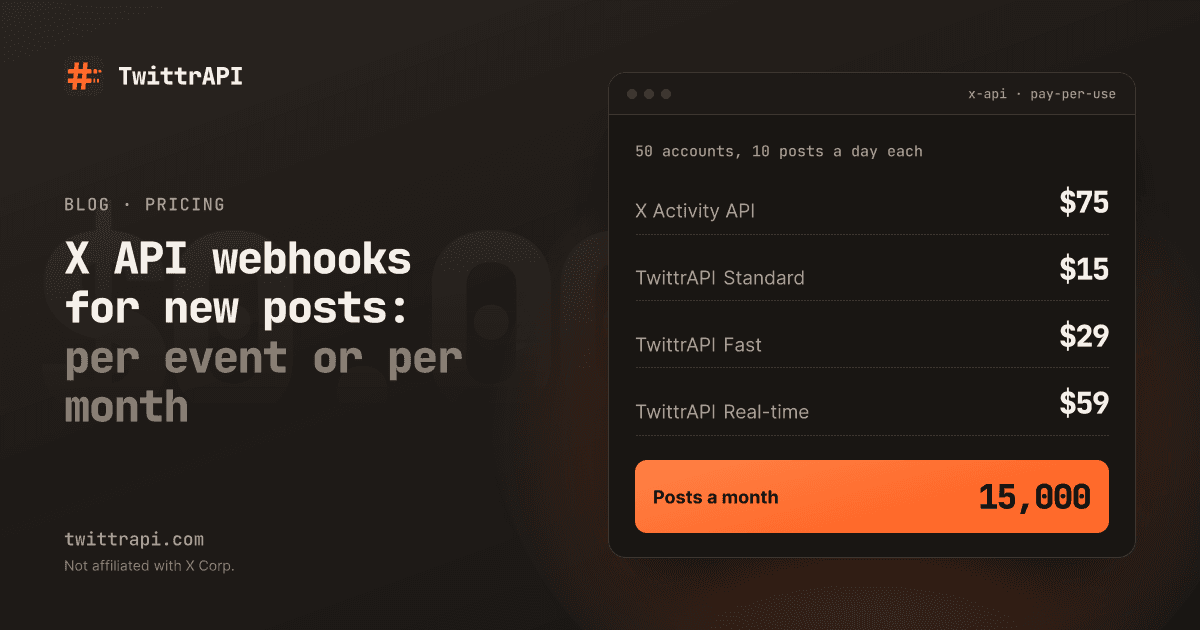
| 50 | $15 | $29 | $59 |
| 250 | $49 | $99 | $199 |
| 1,000 | $149 | $299 | $599 |
| 5,000 | $499 | $999 | $1,999 |
The smallest plan watches 10 accounts for $5 a month. Store the key in an environment variable:
export TWITTRAPI_API_KEY="your-key"Step 2: Add the accounts to watch
Send up to 100 usernames or user IDs per request:
import os
import requests

API = "https://api.twittrapi.com"
HEADERS = {"X-API-KEY": os.environ["TWITTRAPI_API_KEY"]}

r = requests.post(
    f"{API}/monitors/accounts",
    headers=HEADERS,
    json={"usernames": ["XDevelopers", "NASA", "OpenAI"]},
    timeout=30,
)
r.raise_for_status()
for result in r.json()["data"]:
print(result["input"], result.get("status") or result.get("error"))Each account gets its own result: added, already_watching, or an error such as not found or protected. Protected accounts cannot be watched. Delivery starts with the first tweet after monitoring begins; older tweets are not sent. For history, use the user tweets endpoint.
Step 3: Set your webhook
The URL must be public and use https. Private and local addresses are refused, and redirects are not followed.
r = requests.put(
    f"{API}/monitors/webhook",
    headers=HEADERS,
    json={"url": "https://example.com/hooks/twittrapi"},
    timeout=30,
)
r.raise_for_status()
print(r.json()["webhook"]["secret"]) # whsec_...The first call returns a signing secret that starts with whsec_. Save it as TWITTRAPI_WEBHOOK_SECRET on your server. Changing the URL later keeps the secret.
To test on your laptop, expose your local port with a tunnel such as ngrok or Cloudflare Tunnel and use its https address as the webhook URL.
Step 4: Receive and verify the events
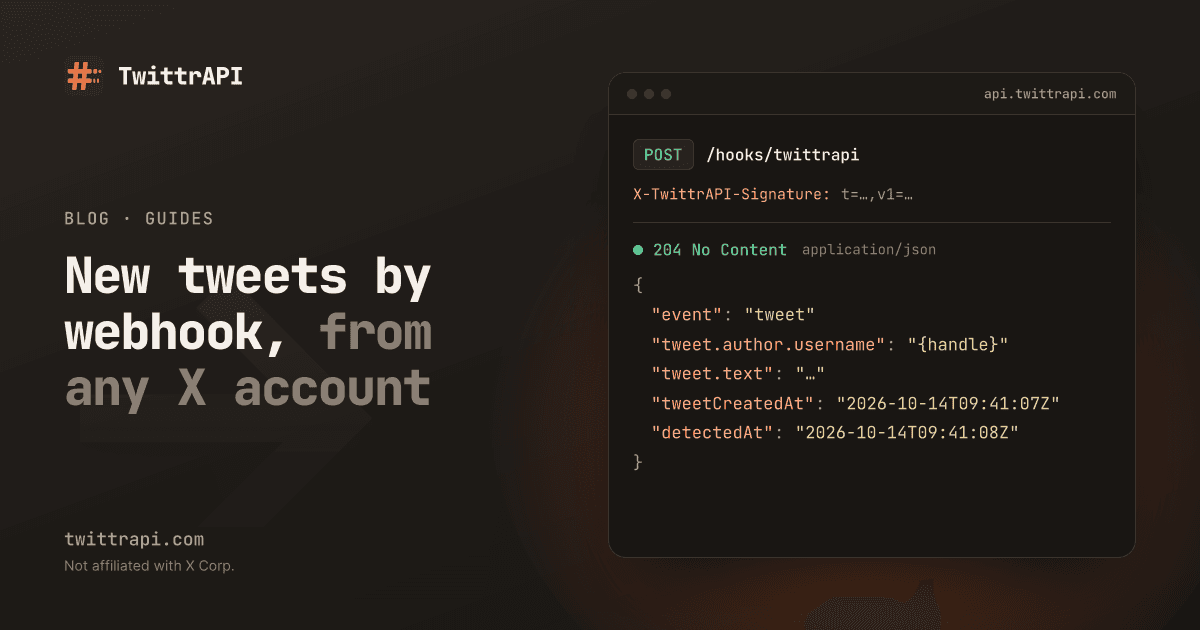
Every new tweet is one POST with a JSON body. The X-TwittrAPI-Signature header holds a timestamp and an HMAC-SHA256 of <timestamp>.<raw body>, keyed with your secret. Check it on the raw bytes before you parse the JSON, and reject old timestamps so a captured request cannot be replayed.
import hashlib
import hmac
import os
import time

from flask import Flask, abort, request

SECRET = os.environ["TWITTRAPI_WEBHOOK_SECRET"].encode()
app = Flask(__name__)


def verify(header: str, raw_body: bytes, tolerance: int = 300) -> bool:
    parts = dict(p.strip().split("=", 1) for p in header.split(",") if "=" in p)
    t, sig = parts.get("t", ""), parts.get("v1", "")
    if not t.isdigit() or not sig or abs(time.time() - int(t)) > tolerance:
        return False
    expected = hmac.new(SECRET, t.encode() + b"." + raw_body, hashlib.sha256).hexdigest()
    return hmac.compare_digest(expected, sig)


@app.post("/hooks/twittrapi")
def hook():
    if not verify(request.headers.get("X-TwittrAPI-Signature", ""), request.get_data()):
        abort(401)
    event = request.get_json()
    if event["event"] == "tweet":
        tweet = event["tweet"]
        print(tweet["author"]["username"], tweet["url"], tweet["text"][:80])
return "", 204Answer with any 2xx within 5 seconds. If you need to do more than print, put the event on a queue and answer first. The monitoring docs have the same handler in Node.js and Go.
A tweet event looks like this:
{
  "event": "tweet",
  "id": "1849203",
  "monitoredUserId": "2244994945",
  "tweetId": "2019881223666233717",
  "tweetCreatedAt": "2026-02-06T21:09:45Z",
  "detectedAt": "2026-02-06T21:09:46.212Z",
  "tweet": {
    "id": "2019881223666233717",
    "url": "https://x.com/XDevelopers/status/2019881223666233717",
    "text": "Officially launching X API Pay-Per-Use …",
    "author": { "id": "2244994945", "username": "XDevelopers" },
    "replyTo": null,
    "quoted": null,
    "retweetOf": null
  }
}Replies and retweets are included. If you only want original posts, skip events where replyTo or retweetOf is set.
Step 5: Send a test event
Before you wait for a real tweet, check that your endpoint answers in time:
r = requests.post(f"{API}/monitors/webhook/test", headers=HEADERS, timeout=30)
print(r.json()) # {"ok": true, "statusCode": 204, "latencyMs": 84}The test event is signed like a real one and has X-TwittrAPI-Event: test.
Step 6: Catch up after downtime
If your server is down, failed deliveries are retried with growing pauses for up to 24 hours. After 20 failures in a row the webhook is switched off and you get an email; monitoring keeps running. Events stay readable for 7 days through the pull API:
since = None  # store the last nextSince somewhere durable
while True:
    params = {"limit": 500}
    if since:
        params["since"] = since
    page = requests.get(f"{API}/monitors/events", headers=HEADERS, params=params, timeout=30).json()
    for event in page["data"]:
        print(event["tweet"]["url"])
    since = page["nextSince"] or since
    if not page["hasMore"]:
breakRetries can arrive out of order and, rarely, twice. Use the X-TwittrAPI-Delivery header to drop duplicates and tweetCreatedAt to sort. When the endpoint works again, send PUT /monitors/webhook once more to switch the webhook back on.
Webhook or polling?
| Polling the timeline | Account monitoring | |
|---|---|---|
| Cost | One billed call per account per poll | Flat monthly fee per plan |
| Delay | Your poll interval | 60 s, 5 s or 1 s |
| Work on your side | Scheduler, state, deduplication | One endpoint |
| Missed tweets | Possible between polls | Kept 7 days for catch-up |
Polling is fine for a few accounts checked every few minutes. Checking one account every 5 seconds is about 518,000 calls a month, which costs more than a 50-account Fast plan at $29. For keywords and hashtags, which monitoring does not cover, poll search with since_id so each call returns only new tweets.
Frequently asked questions
Does X have a webhook for new tweets?
Yes, through its Activity API, billed per event. We compare it with a flat monitoring plan in X API webhooks for new posts. There is no free option on X.
Can I watch accounts with few followers?
Yes. There is no follower minimum. Every public account in your plan is checked at the plan's interval.
Are deleted tweets reported?
No. An event is sent when a tweet is detected. Deletions do not create a separate event.
What happens when my balance runs out?
The plan is paused at renewal. Your watched accounts are kept, but no events are created until you top up and renew.
Sources
- Account monitoring docs (API, events, signatures, retries, limits)
- Simple format: tweet fields
- Twitter Streaming API alternative
TwittrAPI is not affiliated with X Corp. It reads only public data.