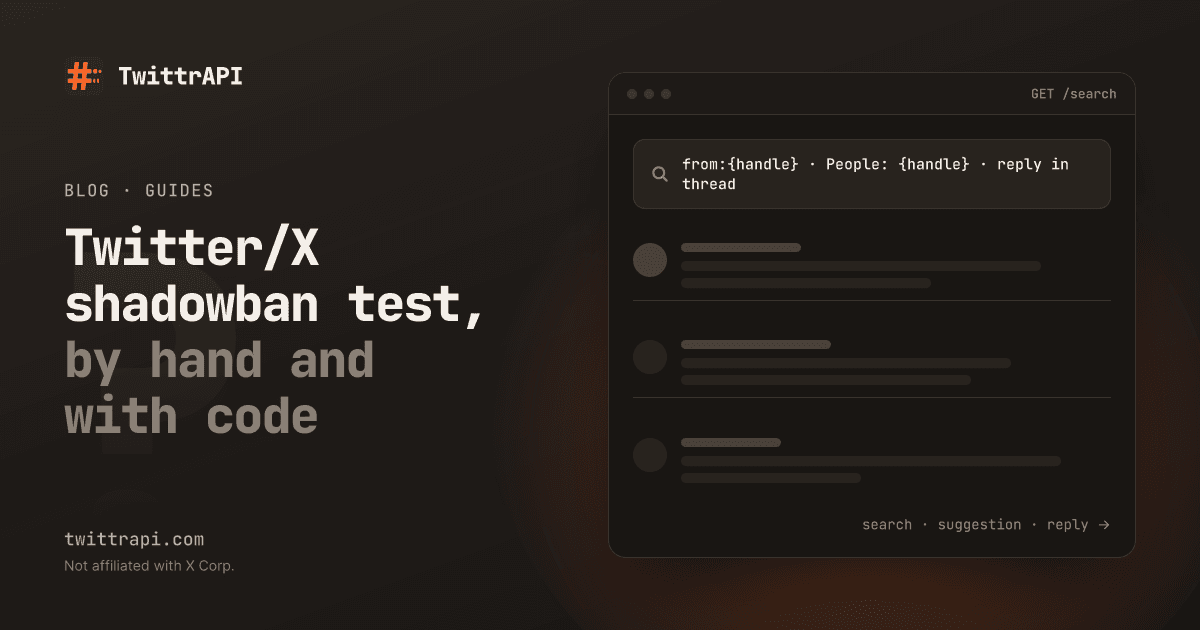
A shadowban means X shows your posts to fewer people than it should, without telling you. X does not publish whether an account is restricted, and the company has said it limits the reach of some posts in some cases. So there is no official "you are shadowbanned" flag to read. What you can do is test what a stranger sees and compare it with what you posted. That is also what our free shadowban checker does.
This guide explains the kinds of restriction people report, how to test each one by hand in two minutes, and how to run the same tests from a script, for example to watch an account on a schedule. We run TwittrAPI, which the script uses.
What people mean by "shadowban"
| Name | What it means | What a stranger sees |
|---|---|---|
| Search ban | Your posts do not appear when someone searches from:you | Your profile has posts, search finds none |
| Search suggestion ban | You do not show up when someone types your name in the search box | The People tab does not list you |
| Ghost ban, reply deboosting | Your replies are hidden in other people's threads | The reply is missing until someone taps "Show more replies" |
These are observations, not X's own terms. A test can show that something is missing, but it cannot tell you why. New posts also take a few minutes to reach the search index, and a post that is simply too new is not a ban.
Step 1: Test it by hand
Open a private window (not logged in, or logged in to a different account) and try three things:
- Search. Go to
x.com/search?q=from:yourname&f=live. If the account has posts older than 15 minutes and none show up, that is the search-ban signal. - Suggestions. Search for your username and open the People tab. Your account should be in the first results.
- Replies. Open a thread you replied to, in the private window. Your reply should appear in the list. If you only see it logged in, or only after "Show more replies", it is hidden for other viewers.
Do the tests more than once, a few hours apart. Results that come and go often point to a temporary limit, not a lasting one.
Step 2: Get an API key
To run the same tests from code, create a key on /start. New accounts get $0.50 of test credit for 7 days. Keep it in an environment variable:
export TWITTRAPI_API_KEY="your-key"The API sees X the way a logged-out visitor does, which is the view you want for these tests.
Step 3: Check the account and its posts
First load the profile, to get the account ID and to see whether it is protected, then its recent posts and replies with GET /user/{userId}/tweetsAndReplies:
import os
from datetime import datetime, timedelta, timezone

import requests

API = "https://api.twittrapi.com"
HEADERS = {"X-API-KEY": os.environ["TWITTRAPI_API_KEY"]}
USERNAME = "yourname"


def get(path, **params):
    r = requests.get(f"{API}{path}", headers=HEADERS, params={"format": "simple", **params}, timeout=30)
    r.raise_for_status()
    return r.json()["data"]


user = get(f"/user/by/username/{USERNAME}")
if user["protected"]:
    raise SystemExit("Protected account: its posts are visible to approved followers only.")

timeline = get(f"/user/{user['id']}/tweetsAndReplies", count=40)
own = [t for t in timeline if t["author"]["id"] == user["id"] and not t["retweetOf"]]
cutoff = datetime.now(timezone.utc) - timedelta(minutes=15)  # search lags a few minutes
indexed = [t for t in own if datetime.fromisoformat(t["createdAt"].replace("Z", "+00:00")) < cutoff]Leave out reposts and posts from the last 15 minutes: X's search index needs a few minutes, so a very new post proves nothing.
Step 4: Run the three tests
Search ban. Search from:yourname on the Latest tab and see whether any of the account's posts come back:
found = get("/search", searchItem=f"from:{USERNAME}", category="Latest")
search_ok = any(t["author"]["id"] == user["id"] for t in found)
print("Search:", "ok" if search_ok or not indexed else f"{len(indexed)} public posts, none in search")Suggestion ban. Search People for the username and check the position:
people = get("/search", searchItem=USERNAME, category="People")
ids = [u["id"] for u in people]
position = ids.index(user["id"]) + 1 if user["id"] in ids else None
print("People search:", f"result #{position}" if position and position <= 10 else "not in the top 10")Reply deboosting. Take the latest reply to someone else, load the thread it answered with GET /tweet/{tweetId} and see whether the reply is listed:
reply = next((t for t in indexed if t["replyTo"] and t["replyTo"]["userId"] != user["id"]), None)
if reply:
    thread = get(f"/tweet/{reply['replyTo']['tweetId']}")
    visible = any(t["id"] == reply["id"] for t in thread)
print("Reply:", "visible" if visible else "not listed (the thread may just be long)")A missing reply in a thread with many answers is common, because X shows only a first page. Treat it as a signal only when the thread is short. The call returns the post and the replies of its first page as a list, with a cursor for the next page. Details are in the tweet reference.
Each check is one to two API calls. A full run is at most five, so a daily check costs a fraction of a cent at $0.10 per 1,000 calls on Standard.
Step 5: Check on a schedule
Run the script once a day and write the three results to a CSV with the date. A restriction that shows up on one day and is gone the next is common; one that stays for a week deserves attention. For several accounts, GET /user/usernames/status tells you in one call whether up to 500 handles are active, protected, suspended or not found:
handles = ["acme", "acme_support", "acme_news"]
r = requests.get(f"{API}/user/usernames/status", headers=HEADERS, params={"usernames": ",".join(handles)}, timeout=30)
r.raise_for_status()
print(r.json()["usernamesStatus"])If the test says you are restricted
- Wait and test again. Limits placed after spam-like behavior, many mass replies or follows in a short time, often lift on their own within days.
- Stop what triggered it. Automated replies, repeated links, many near-identical posts and mass following are the usual causes people report.
- Check the account for notices. Look for a "limited" or "sensitive content" label in your settings and notifications.
- Appeal through X. The official route is the support form for the specific notice. Third-party checkers, including ours, cannot change anything.
Be careful with tools that promise to "remove" a shadowban. Nothing outside X can do that.
Frequently asked questions
What is a shadowban on Twitter/X?
A reduction in how widely your posts are shown, without a notice to you. People report three forms: posts missing from search, the account missing from search suggestions, and replies hidden in threads. X does not publish a list of restricted accounts.
How can I tell if I am shadowbanned?
Open a private window and check that from:yourname search finds your posts, that your name shows in People search and that your replies appear in other people's threads. The free shadowban checker runs the same tests for any public username.
Is a shadowban test accurate?
It shows what a logged-out viewer sees, which is a good signal, but it cannot read X's internal flags. New posts, busy threads and X's own search lag can look like a restriction. Repeat the test after a few hours.
How long does a shadowban last?
X does not say. People report anything from a few hours to a few weeks, depending on the cause.
Can I check someone else's account?
Yes, any public account. A protected account's posts are not visible to others, so the tests do not apply.
How much does it cost to run the check from code?
At most five API calls per account and run. On TwittrAPI that is $0.10 per 1,000 calls on Standard and less at volume.
Sources
- Shadowban checker: the free tool that runs these checks
- Search endpoint reference and account status for many handles
- Search guide: the operators used above
TwittrAPI is not affiliated with X Corp. It reads only public data.