Social listening tools watch X for what people say about your brand, your competitors or a topic, and report it back. The ready-made ones charge a monthly fee that is high for what a small team uses: mostly keyword searches, a count per day and an alert when something spikes. All of that is one search endpoint called on a schedule.
This guide builds that yourself: queries for mentions, competitors and topics, polling without duplicates, noise filtering, optional sentiment scoring, and an alert. We run TwittrAPI, which the code uses. The social listening page shows the no-code route with Google Sheets, n8n and Make; this post is the code route.
What a listening setup needs
| Part | What it does | Where it comes from |
|---|---|---|
| Queries | Say what to find | X search operators |
| Collector | Runs the queries on a schedule | One search call per query |
| Filter | Removes spam, retweets and your own posts | Operators and a few lines of code |
| Storage | Keeps tweets and counts over time | A CSV, a sheet or a database |
| Analysis | Counts per day, spikes, sentiment | Code, or an LLM |
| Alert | Tells you when it matters | Slack, Discord or email |
Step 1: Get an API key
Create a key on /start. New accounts get $0.50 of test credit for 7 days. Keep it in an environment variable:
export TWITTRAPI_API_KEY="your-key"Step 2: Write the queries
A query is X's search syntax. Three kinds cover most listening:
QUERIES = {
    # Your brand, with and without the handle, but not your own posts
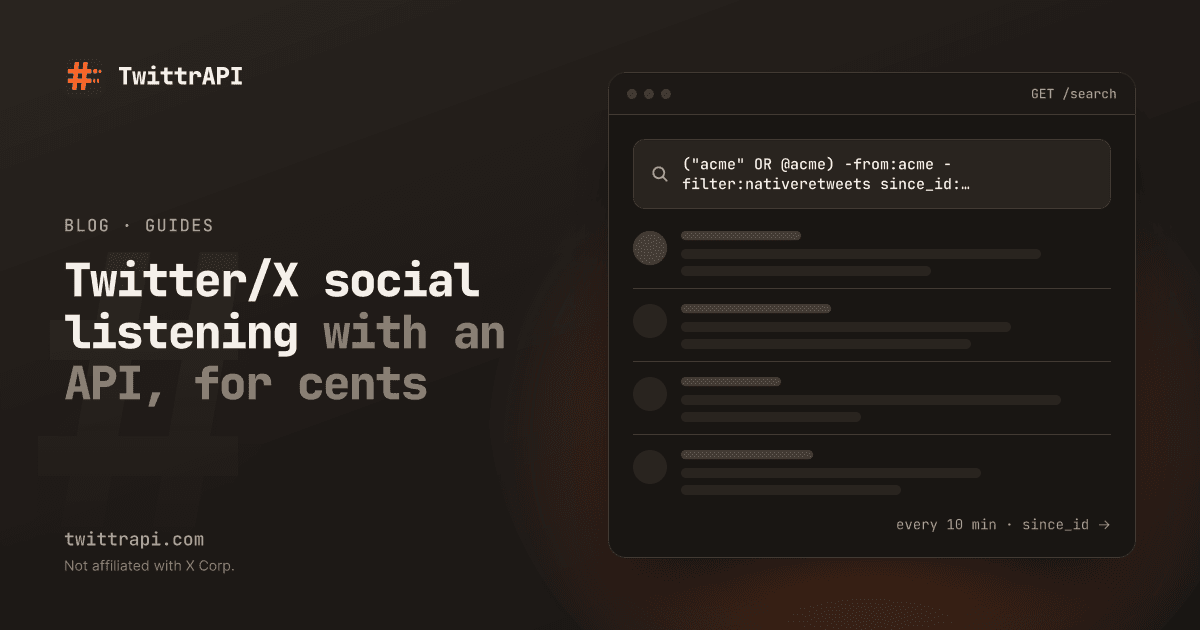
    "brand": '("acme" OR @acme OR url:acme.com) -from:acme -filter:nativeretweets lang:en',
    # A competitor, mentions only from people with some reach
    "competitor": '("globex" OR @globex) -from:globex -filter:nativeretweets min_faves:3',
    # A topic, replies left out
    "topic": '"social listening" -filter:replies -filter:nativeretweets lang:en',
}Brand names that are also common words need care. Put the phrase in quotes, add context words ("acme" (api OR pricing OR docs)) or require the handle or the domain. Test each query by hand in the X search box first; the operators are the same. The full list is in the search guide.
Step 3: Collect without duplicates
Run each query on a schedule and add since_id: with the highest tweet ID you have seen, so each tweet arrives once. Keep the IDs in a small JSON file:
import json
import os
from pathlib import Path

import requests

API = "https://api.twittrapi.com"
HEADERS = {"X-API-KEY": os.environ["TWITTRAPI_API_KEY"]}
STATE = Path("state.json")


def collect(name: str, query: str, state: dict) -> list[dict]:
    q = query + (f" since_id:{state[name]}" if name in state else "")
    r = requests.get(
        f"{API}/search",
        headers=HEADERS,
        params={"searchItem": q, "category": "Latest", "format": "simple"},
        timeout=30,
    )
    r.raise_for_status()
    fresh = [t for t in r.json()["data"] if not t.get("unavailable")]
    if fresh:
        state[name] = max((t["id"] for t in fresh), key=int)
    return fresh


state = json.loads(STATE.read_text()) if STATE.exists() else {}
found = {name: collect(name, q, state) for name, q in QUERIES.items()}
STATE.write_text(json.dumps(state))On the first run there is no since_id, so you get the latest page. After that you only get what is new. Run the script from cron, a GitHub Action or any scheduler. If one run returns a full page, there may be more than one page of new tweets; follow nextCursor as shown in the search guide.
Step 4: Store the tweets
Append them to a CSV with the query name. A sheet or a database works the same way:
import csv

with open("mentions.csv", "a", newline="") as f:
    w = csv.writer(f)
    for name, tweets in found.items():
        for t in tweets:
            author = t["author"]["username"] if t["author"] else ""
w.writerow([t["createdAt"], name, author, t["counts"]["likes"], t["text"].replace("\n", " "), t["url"]])To get this into Google Sheets without a database, see Tweets in Google Sheets with Apps Script.
Step 5: Count and find spikes
The most useful number in listening is mentions per day, compared with a normal day. With the CSV and pandas:
import pandas as pd

df = pd.read_csv(
    "mentions.csv",
    names=["createdAt", "query", "author", "likes", "text", "url"],
    parse_dates=["createdAt"],
)
daily = df[df["query"] == "brand"].set_index("createdAt").resample("D").size()
baseline = daily[:-1].tail(14).mean()
today = daily.iloc[-1]
if today > 2 * baseline and today >= 10:
print(f"Spike: {today} mentions today, usual {baseline:.0f}")Set both conditions. A ratio alone fires on days with 3 mentions instead of 1.
Step 6: Score the sentiment (optional)
For positive or negative, send each new tweet to an LLM with a fixed label set and store the answer in a column. Keep the prompt short and ask for one word:
import anthropic

client = anthropic.Anthropic()


def sentiment(text: str) -> str:
    msg = client.messages.create(
        model="claude-haiku-5-5",
        max_tokens=5,
        messages=[{"role": "user", "content": f"Label the sentiment of this tweet about a software product as positive, negative or neutral. Answer with one word.\n\n{text}"}],
    )
return msg.content[0].text.strip().lower()Check a sample by hand before you trust the numbers. Sarcasm and mixed tweets are where models disagree with people, and a dashboard that shows 70 % positive hides that.
Step 7: Send an alert
Post to Slack when a negative tweet comes from an account with reach, or when a spike fires. A Slack incoming webhook takes one line:
requests.post(
    os.environ["SLACK_WEBHOOK_URL"],
    json={"text": f"Negative mention by @{t['author']['username']} ({t['author']['counts']['followers']} followers): {t['url']}"},
    timeout=10,
)Here t is a tweet from the collector; the author's follower count is t["author"]["counts"]["followers"]. For alerts from specific accounts within seconds, instead of a query on a schedule, use account monitoring and the guide to tweet alerts in Discord, Telegram or Slack.
What it costs
One run of one query is one call. Polling a query every 10 minutes is 4,320 calls in 30 days. At $0.10 per 1,000 calls on Standard, that is well under a dollar a month per query, and three queries cost about three times that. The searches are the whole bill; the CSV and the cron job are free.
Where a listening tool is still the better buy
- History. X search returns what X returns for a date range; a tool that has been collecting for years has data you cannot rebuild.
- Other networks. Reddit, news and forums in one dashboard is work you would write yourself.
- Reports for clients. If someone needs charts and PDFs every week without touching code, a tool saves time.
For one or two networks and a team that can run a script, your own setup does the job.
Frequently asked questions
What is Twitter social listening?
Watching X for mentions of a brand, a competitor or a topic, counting them over time and reacting to changes. It goes beyond monitoring your own @mentions because it also finds posts that name you without tagging you.
Can I track mentions without a developer account?
Yes. A third-party API such as TwittrAPI has its own key and no X developer account is needed.
How often should I poll?
Every 5 to 15 minutes is enough for brand and topic queries. For posts from known accounts that must reach you within seconds, use account monitoring.
How do I find mentions that don't tag my handle?
Search for the name as a phrase and your domain, for example "acme" OR url:acme.com, and exclude your own account with -from:acme.
How much does it cost to track a brand on X?
One call per query per run. At $0.10 per 1,000 calls, a query every 10 minutes costs under a dollar a month.
Sources
- Search endpoint reference: parameters and accepted operators
- Recipes: brand mentions, polling a search without duplicates
- Social listening use case: the no-code route
TwittrAPI is not affiliated with X Corp. It reads only public data.