Most Twitter sentiment analysis tutorials stop at a pie chart built from a Kaggle file from 2009. To score what people are saying this week, you need live tweets, some cleaning, a model, and a way to tell whether the numbers mean anything. That last step is the one most tutorials leave out.
This guide builds the whole pipeline in Python. We run TwittrAPI, which the collection step uses. The scoring steps work with tweets from any source.
Step 1: Collect the tweets
Get a key at /start. New accounts get $0.50 of test credit for 7 days, which is enough for this guide many times over.
import os
import time

import requests

API = "https://api.twittrapi.com"
HEADERS = {"X-API-KEY": os.environ["TWITTRAPI_API_KEY"]}


def search(query, pages=10):
    cursor = None
    for _ in range(pages):
        params = {"searchItem": query, "category": "Latest", "format": "simple"}
        if cursor:
            params["cursor"] = cursor
        r = requests.get(f"{API}/search", headers=HEADERS, params=params, timeout=30)
        r.raise_for_status()
        page = r.json()
        yield from page["data"]
        if not page["hasNextPage"]:
            return
        cursor = page["nextCursor"]
        time.sleep(0.2)


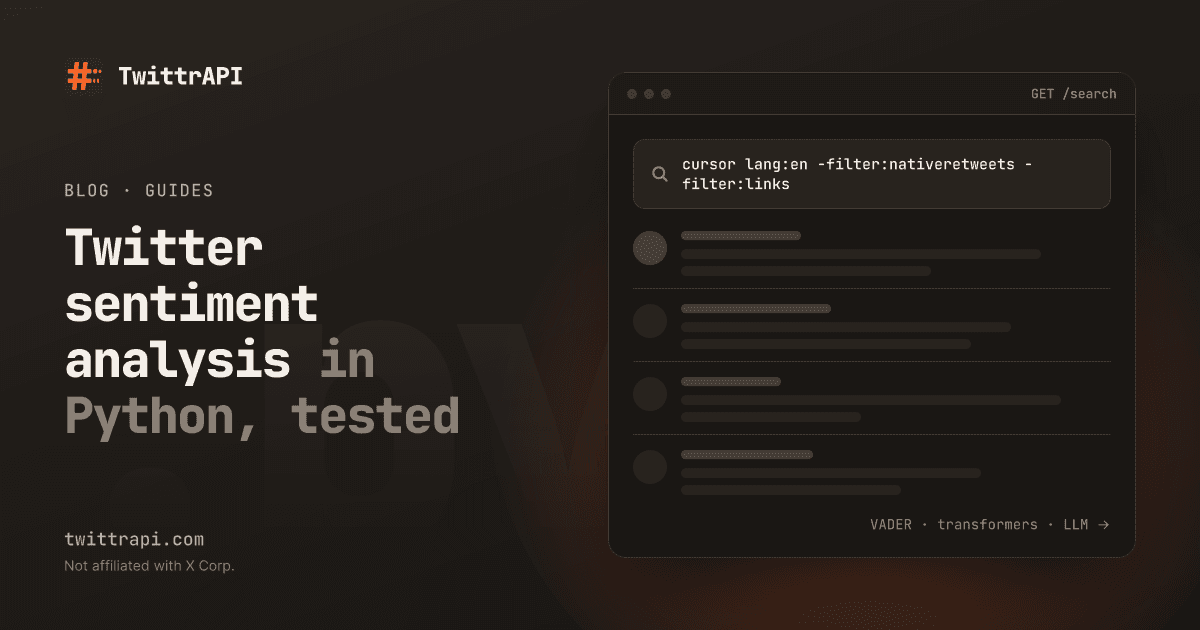
tweets = list(search('"notion" lang:en -filter:nativeretweets -filter:links within_time:7d'))
print(len(tweets))The query does half the cleaning. lang:en matters because the models below are trained on English. -filter:nativeretweets stops one popular post from counting a hundred times. -filter:links removes a lot of marketing and news, at the cost of some real opinions, so try it with and without. The full operator list has more options.
Step 2: Clean the text
Don't over-clean. Lowercasing, removing punctuation and stripping stopwords is advice from older methods, and it hurts the models used here: VADER reads capitals and exclamation marks as intensity.
Do these three things:
import re


def clean(text):
    text = re.sub(r"https?://\S+", "", text)  # links carry no sentiment
    text = re.sub(r"@\w+", "@user", text)     # names should not sway the score
    return text.strip()


seen = set()
rows = []
for t in tweets:
    body = clean(t["text"])
    if body.lower() in seen or len(body) < 15:
        continue
    seen.add(body.lower())
    rows.append({
        "id": t["id"],
        "created": t["createdAt"],
        "user": t["author"]["username"],
        "text": body,
        "likes": t["counts"]["likes"],
})Removing exact duplicates catches bots and copy-paste campaigns. They are more common than you'd think and they can move an average by themselves.
Step 3: Run Twitter sentiment analysis with VADER
VADER is a rule-based scorer built for social media text. It's free and needs no GPU or training. On our machine it scored 5,000 short tweets in about 0.2 seconds.
pip install vaderSentimentfrom vaderSentiment.vaderSentiment import SentimentIntensityAnalyzer
analyzer = SentimentIntensityAnalyzer()
def vader_label(text):
score = analyzer.polarity_scores(text)["compound"]
if score >= 0.05:
return "positive"
if score <= -0.05:
return "negative"
return "neutral"
for row in rows:
row["sentiment"] = vader_label(row["text"])The compound score runs from -1 to 1. The ±0.05 cut-offs are the ones VADER's authors recommend.
What VADER gets wrong
We ran five sentences through version 3.3.2, and only two came out right:
| Sentence | Compound | Label | Correct? |
|---|---|---|---|
| The new update is great, setup took five minutes! | 0.66 | positive | Yes |
| They released version 4 on Tuesday. | 0.00 | neutral | Yes |
| The app keeps crashing and support never answers. | 0.40 | positive | No |
| Oh great, another outage. Love paying for this. | 0.85 | positive | No |
| This API is sick, way faster than the last one. | -0.51 | negative | No |
Each failure has a clear cause. "Support" is a positive word in VADER's dictionary, and nothing in the sentence cancels it, so a complaint scores as praise. Sarcasm reads literally. Slang goes the wrong way.
The first failure should worry you most if you're working on a software or service brand, since "support" appears all over complaints. You can adjust the dictionary for your domain:
analyzer.lexicon.update({"support": 0.0, "sick": 0.0})Setting the word to 0 tells VADER to ignore it. With this change, the two sentences above both score 0.00, which is neutral. That's less wrong, though still not right: the complaint isn't read as negative. A short list built from your own errors is a cheap improvement, and it won't take you much further than that.
Step 4: Try a model trained on tweets
When word lists stop being enough, use a model. cardiffnlp/twitter-roberta-base-sentiment-latest was trained on tweets and predicts negative, neutral or positive. It's free, and it will run on a CPU, only slower.
pip install transformers torchfrom transformers import pipeline
model = pipeline(
"sentiment-analysis",
model="cardiffnlp/twitter-roberta-base-sentiment-latest",
truncation=True,
)
results = model([row["text"] for row in rows], batch_size=32)
for row, result in zip(rows, results):
row["sentiment_model"] = result["label"].lower()An LLM is the third option. It can understand context such as "negative about this brand, not about the weather", at a price per tweet. The social listening guide has a short example with fixed labels. For tens of thousands of tweets a day, a good pattern is to use the local model for everything and send only the uncertain ones to an LLM.
Step 5: Check accuracy on your own tweets
This is the step that decides whether you can trust your chart. Published accuracy numbers come from someone else's test set, and your brand's tweets will behave differently.
Take a random sample of 200 tweets, write your own label for each without looking at the model's output, and compare:
import random
from collections import Counter

sample = random.Random(42).sample(rows, k=min(200, len(rows)))
# Fill in "human" by hand for each sampled row, in a sheet or a notebook,
# then load the rows back as `labeled`.
labeled = [r for r in sample if r.get("human")]

if labeled:
    correct = sum(r["sentiment"] == r["human"] for r in labeled)
    print(f"accuracy: {correct / len(labeled):.0%} on {len(labeled)} tweets")

    mistakes = Counter((r["human"], r["sentiment"]) for r in labeled if r["sentiment"] != r["human"])
    for (human, model_label), n in mistakes.most_common():
print(f"you said {human}, model said {model_label}: {n}")The mistakes table tells you more than the single number. If negatives keep landing in positive, your negative rate is understated, and that's usually the number your boss is asking about. Label a few tweets with a colleague as well. People disagree on sentiment more than you'd expect, and that's a useful ceiling on what any model can reach.
Step 6: Chart it over time
The share of negatives per day is more useful than an average score, because it answers a plain question:
import pandas as pd

df = pd.DataFrame(rows)
df["day"] = pd.to_datetime(df["created"]).dt.date
daily = df.groupby("day")["sentiment"].value_counts(normalize=True).unstack(fill_value=0)
counts = df.groupby("day").size()

# Days with few tweets swing wildly. Only show days with enough data.
print(daily[counts >= 30].round(2))Read the trend and not the level. A model that's wrong by a stable amount can still show you that Tuesday was worse than Monday. When a day jumps, read the tweets from that day. A single viral post can often explain the whole spike, and you'll want to know what it was anyway.
What it costs
A search call returns about 20 tweets and costs $0.0001 on the Standard tier. X sets the real page size.
| Tweets | Calls | Data cost |
|---|---|---|
| 1,000 | about 50 | $0.005 |
| 100,000 | about 5,000 | $0.50 |
| 1,000,000 | about 50,000 | $5 |
VADER and the local model add no fee, only your compute. If you plan to collect a large research set, read our notes on research datasets first, including the part on terms and ethics.
Limits to keep in mind
- Sentiment isn't reach. Ten angry tweets from accounts with 40 followers aren't a crisis. Keep
likesand the follower count in your table and sort by them. - Sentiment about what? "Love Notion, hate their pricing" is one tweet about two things. For that you need aspect-level analysis or an LLM.
- X isn't your whole customer base. Treat this as a signal about people who post on X, and not about the market.
- Other languages. Both tools above are for English. The Cardiff group also publishes a multilingual model if you need it.
Frequently asked questions
What is the best Python library for Twitter sentiment analysis?
VADER is the fastest way to start and needs no GPU. For better accuracy on real tweets, use a model trained on tweets, such as Cardiff's twitter-roberta-base-sentiment-latest. Compare both on a hand-labeled sample of your own tweets before you choose.
How accurate is Twitter sentiment analysis?
It depends on the topic, so measure it. Label 200 of your own tweets and compare. In our short test, VADER got three of five example sentences wrong because of a misleading word, sarcasm and slang.
Can you do sentiment analysis without the official Twitter API?
Yes. The models only need text. You can collect that text through a third-party API at a far lower cost than the official API's $0.005 per post, and the scoring code stays the same.
Should I remove stopwords and punctuation from tweets first?
Not for VADER or transformer models. VADER uses capitals and punctuation as signals, and transformers read whole sentences. Removing links, masking usernames and dropping duplicates is enough.
How do I handle sarcasm in tweets?
No cheap method handles it reliably. Models trained on tweets and LLMs do better than word lists, but check the results by hand. If sarcasm is common in your topic, report the number with a margin and read the top tweets yourself.
Sources
- VADER on GitHub: method and thresholds
- Cardiff NLP Twitter RoBERTa model
- TwittrAPI search reference and pricing
- Example scores: our run of vaderSentiment 3.3.2 on 3 November 2026
TwittrAPI is not affiliated with X Corp. It reads only public data.