Tap the join date on any X profile and you get a panel called "About this account": the country the account is based in, how the app was downloaded, and how many times the username has changed. That's the quick way to check an X account location, and it's fine for one profile.
Checking 500 accounts in a reply thread by tapping isn't realistic. This guide covers both, what the fields mean, and how far to trust them, which is less far than the screenshots going around suggest. We run TwittrAPI, the API in the code examples.
How to check an X account location by hand
- Open the profile on x.com or in the app.
- Tap or click the Joined date under the bio.
- Read the panel.
X began rolling this out in late November 2025, and reports at the time described a bumpy start. It's now on every profile.
What the panel shows
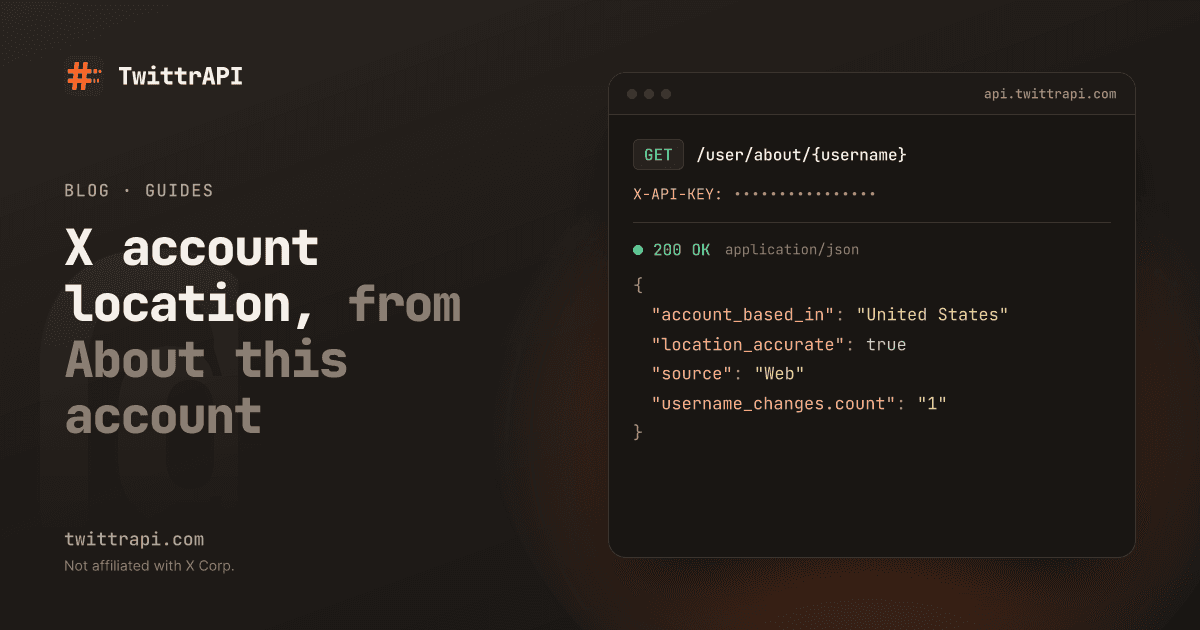
The data behind the panel is available as fields. GET /user/about/{username} returns them, and here's our documentation's example for @XDevelopers:
| Field | Example | What it means |
|---|---|---|
accountBasedIn | United States | The country or region X assigns |
locationAccurate | true | X's own flag on that location |
createdCountryAccurate | true | X's own flag on the country at creation |
source | Web | How the account connects, shown in the panel as the app download method |
usernameChanges | 1 | Number of handle changes |
lastUsernameChangeAt | 2023-07-26T01:33:12Z | When the handle last changed |
affiliateUsername | X | The organization the account is affiliated with |
identityVerified | false | Whether identity verification is shown |
verifiedSince | 2014-03-21T18:15:00Z | Start of verification |
X doesn't document these publicly, so "what it means" is our reading of the names and of the panel. In particular, don't build logic on the precise meaning of locationAccurate without testing it on accounts you know.
The location field on a regular profile is something else: free text that the user typed. Pale Blue Dot is a valid value there, and it's NASA's.
Look up one account from code
Get a key at /start. New accounts get $0.50 of test credit for 7 days.
import os

import requests

API = "https://api.twittrapi.com"
HEADERS = {"X-API-KEY": os.environ["TWITTRAPI_API_KEY"]}


def about(username):
    r = requests.get(
        f"{API}/user/about/{username}",
        headers=HEADERS,
        params={"format": "simple"},
        timeout=30,
    )
    r.raise_for_status()
    return r.json()["data"]["about"]


info = about("XDevelopers")
print(info["accountBasedIn"], info["source"], info["usernameChanges"])Note that this response has counts set to 0. X doesn't send them here, so read followers from the normal profile endpoint.
Check many accounts at once
GET /user/about/batch takes up to 20 handles per request. It's billed per handle, so it saves code and waiting, not money. It has no simple format: each about holds X's raw, nested JSON, with names such as account_based_in. The helper below finds the part you need without depending on the exact nesting, since X can move things around:
import csv
import time


def about_profile(node):
    if isinstance(node, dict):
        if "about_profile" in node:
            return node["about_profile"]
        node = list(node.values())
    if isinstance(node, list):
        for child in node:
            found = about_profile(child)
            if found:
                return found
    return {}


def chunks(items, size=20):
    for i in range(0, len(items), size):
        yield items[i:i + size]


def about_many(usernames):
    for group in chunks(usernames):
        r = requests.get(
            f"{API}/user/about/batch",
            headers=HEADERS,
            params={"usernames": ",".join(group)},
            timeout=60,
        )
        r.raise_for_status()
        body = r.json()
        yield from body["users"]
        for failed in body.get("errors", []):
            print("failed:", failed["username"], failed["error"])
        time.sleep(0.2)


handles = ["XDevelopers", "NASA", "jack"]
with open("about.csv", "w", newline="") as f:
    w = csv.writer(f)
    w.writerow(["username", "based_in", "location_accurate", "source", "username_changes"])
    for u in about_many(handles):
        a = about_profile(u["about"])
        w.writerow([
            u["username"],
            a.get("account_based_in"),
            a.get("location_accurate"),
            a.get("source"),
            (a.get("username_changes") or {}).get("count"),
])Handles that can't be looked up land in errors, either not_found or upstream_error. The batch keeps your order, which makes it simple to join back to your own list.
Who posts in this thread, by country
The obvious use: is a hashtag or reply thread being pushed from one place? Take the authors of a search and count their countries:
from collections import Counter

r = requests.get(
    f"{API}/search",
    headers=HEADERS,
    params={"searchItem": "#yourhashtag -filter:nativeretweets", "category": "Latest", "format": "simple"},
    timeout=30,
)
r.raise_for_status()
authors = sorted({t["author"]["username"] for t in r.json()["data"]})

countries = Counter()
for u in about_many(authors):
    a = about_profile(u["about"])
    countries[a.get("account_based_in") or "unknown"] += 1
print(countries.most_common(10))To get a full picture, page through more of the search first (how search paging works). A single page only holds about 20 posts.
How far you can trust it
Not far enough to accuse anyone. X's own label says the information may not be accurate and can be affected by VPNs, travel or temporary relocations, as Euronews reported. Reporting from that period contains these points worth remembering:
- X doesn't say how it decides. Researchers can't test the method from outside.
- It has been visibly wrong. Euronews saw its own account listed first in the United States and then in France. X's head of product said incorrect details would be updated over time, and claimed about 99.9% accuracy, a figure we can't verify.
- A cluster can mean a VPN. Many accounts in one surprising country may point to a large VPN provider's exit servers and not to people living there.
- It can be gamed. People who want to hide will route their traffic elsewhere, so a "normal" country proves nothing either.
Here's a fair way to use it: as a lead for further checks. An account that claims to be a local voter in one country, based in another, with four username changes and a creation date last month, deserves a closer read. Any one of those facts on its own could be a person on holiday or a person with a new job.
Signals that hold up better next to it
- Username changes. Accounts that were recently renamed and repurposed are a known pattern, and
usernameChangeswithlastUsernameChangeAtis hard to fake. - Account age. The account age checker gives you this for one account, and
createdAton any profile gives it in code. - Follower quality. See the fake follower check for a repeatable method.
- Content. Read the posts. Language, working hours and what the account is wrong about often tell you more than a field.
What it costs
One call per handle, single or batch: $0.10 per 1,000 handles on the Standard tier. Checking the authors of 100,000 posts costs $10 at most, and less after you remove repeat authors. If you're building a dataset out of this, narrow it to the accounts you need.
Use it responsibly
We only return what X shows on the profile, at country level. Combining it with other data can still say a lot about a real person, and that can put people at risk, journalists and activists in particular. Don't publish a named person's location as fact. If you're researching at scale, read our notes on research ethics and the acceptable use policy.
Frequently asked questions
How do I see what country an X account is from?
On the profile, tap the Joined date to open About this account and read "Account based in". From code, call GET /user/about/{username}, which returns the same data as accountBasedIn in the simple format.
Is X's About this account location accurate?
Not always. X itself warns that VPNs, travel and temporary moves can affect it, and early users reported wrong countries. Use it as a hint to check further, not as proof of where someone lives.
Can someone hide or fake their X account location?
They can affect it. A VPN can change what's shown, though reports say X may display a warning when it detects one. So a surprising country doesn't prove deception and an expected one doesn't prove honesty.
Can I get the About this account data for many accounts?
Yes. GET /user/about/batch takes up to 20 handles per request and is billed one call per handle. Handles that can't be found are listed separately in errors.
Does the person know I checked their account?
No. Reading a public profile sends no notification, and our API doesn't use your X account for it.
Sources
- About this account reference and batch reference: fields and billing
- Euronews, 1 December 2025: X's warning, inconsistencies, researcher comments
- TechRadar on X and VPN labels
TwittrAPI is not affiliated with X Corp. It reads only public data.